Soft bounce vs hard bounce: email bounce codes explained
How to read SMTP reply codes and enhanced status codes, a table of the bounces high-volume senders see most, and the right action for each one.
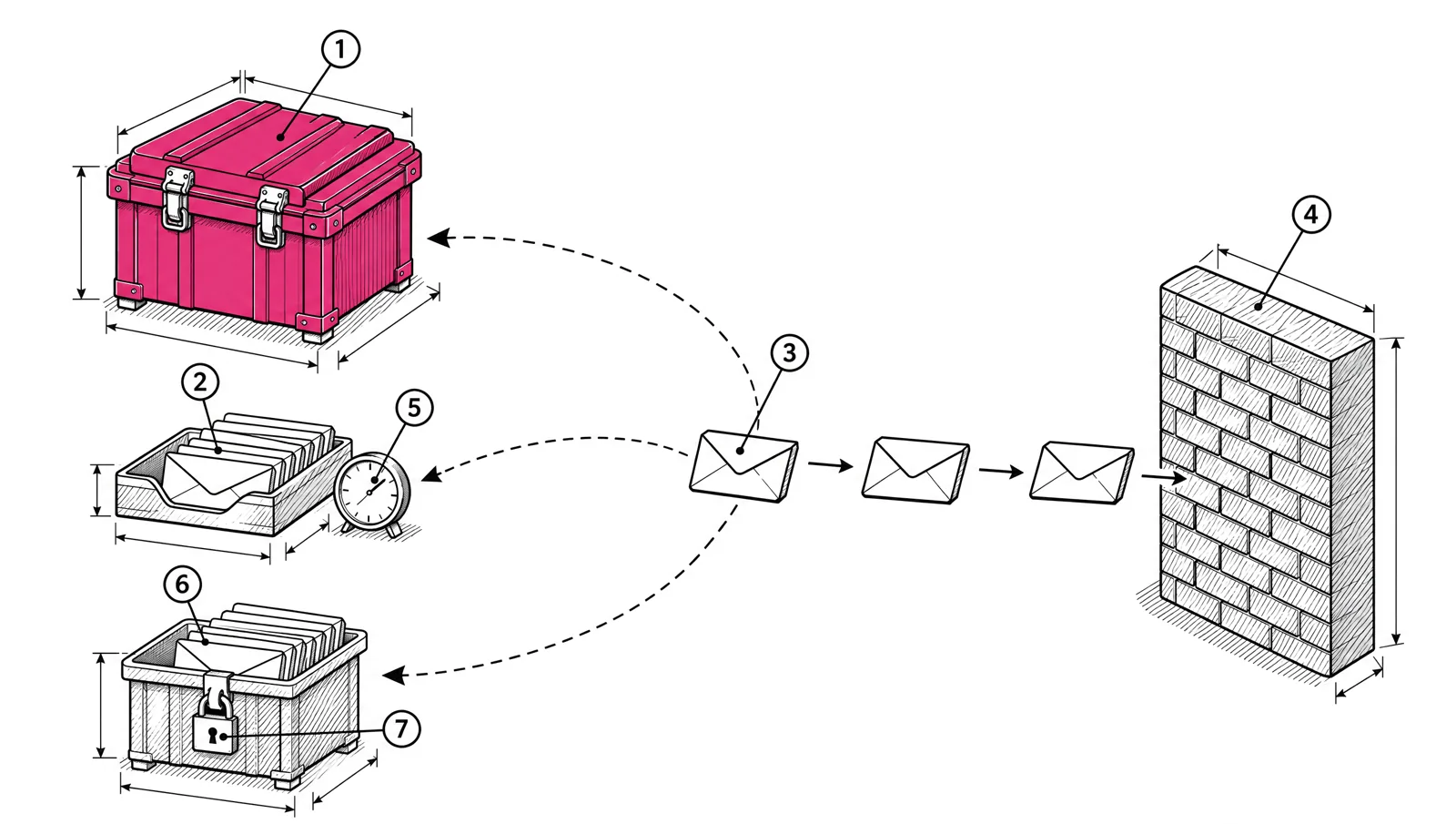
Every bounce carries a code that tells you what went wrong. The first digit is the decision: a 4 means try again later, a 5 means the server refused for good. The codes after it tell you whether the problem is the address, the mailbox or your own sending. Remove bad addresses at once, retry temporary failures a few times, and treat policy blocks as a problem to fix on your side.
Two codes in every bounce
A typical rejection from Gmail looks like this:
550 5.1.1 The email account that you tried to reach does not exist.It holds two codes:
550is the SMTP reply code, defined in RFC 5321. It has three digits.5.1.1is the enhanced status code, defined in RFC 3463. It has three parts: class, subject and detail.
The text after them is written by the receiving server. It often says more than the codes do.
The reply code
The first digit of the reply code groups every answer:
| First digit | Meaning in RFC 5321 | What you do |
|---|---|---|
2 | Success | Nothing. The server accepted the message. |
4 | Transient negative completion | Retry later. The same command may succeed when repeated. |
5 | Permanent negative completion | Don’t retry the same message unchanged. |
RFC 5321 gives a rule of thumb: a reply is 4yz if it could succeed when repeated without any change. Some common full codes:
421Service not available, closing transmission channel.450Mailbox unavailable, for example busy or temporarily blocked for policy reasons.451Requested action aborted, error in processing.452Insufficient system storage.550Mailbox unavailable, for example not found, no access, or rejected for policy reasons.
The enhanced status code
The enhanced code uses the format class.subject.detail. The class repeats the first digit (2, 4 or 5). The subject says where the problem sits:
| Subject | Area | Usually caused by |
|---|---|---|
| X.1 | Addressing | The address itself |
| X.2 | Mailbox | The recipient’s mailbox |
| X.3 | Mail system | The receiving system |
| X.4 | Network and routing | Connections, DNS, routing |
| X.5 | Mail delivery protocol | SMTP commands |
| X.6 | Message content or media | Format or encoding |
| X.7 | Security or policy | Filtering, authentication, reputation |
So 5.1.1 reads as: permanent failure, addressing problem, bad destination mailbox address. RFC 3463 defines it as “the mailbox specified in the address does not exist”.
Three kinds of bounce
It helps to sort every bounce into one of three groups, because each needs a different response.
| Group | Typical codes | Problem is with | Response |
|---|---|---|---|
| Hard bounce | 5.1.1, 5.1.2, 5.2.1 | The address | Stop mailing it at once |
| Soft bounce | 4.2.2, 4.4.x, many 421 replies | A temporary condition | Retry, then stop if it keeps failing |
| Block | 5.7.x, 4.7.x | Your sending: authentication, reputation, rate or content | Fix the cause before the next send |
The third group is the one teams miss. A 550 5.7.1 is a permanent failure, but it usually says nothing about whether the address is valid. If a large share of one send returns the same 5.7 code from one provider, the provider is refusing you, not the recipients.
Common bounce codes and what to do
| Code | What it means | What to do |
|---|---|---|
550 5.1.1 | The address doesn’t exist | Remove it at once. A cluster of these points to an old or imported segment. |
550 5.2.1 | Mailbox disabled. Gmail uses it for an inactive account | Remove it. |
452 4.2.2 | Mailbox full, a temporary failure in RFC 3463 | Retry. Stop mailing the address if it keeps failing over several sends. |
552 5.2.2 | Gmail: inbox out of storage and inactive | Remove it. The account is not in use. |
421 | Service not available, closing the connection | Retry later. Check the text for the reason. |
421 4.7.0 | Gmail: several meanings, including “try again later”, a missing PTR record, or very low IP reputation | Read the text. Fix PTR if named. Slow down for reputation. |
421 4.7.28 | Gmail has seen an unusual rate of mail from your IP, domain or links and is rate limiting | Stop for at least 10 minutes, then reconnect one connection at a time. Raise volume more slowly. |
550 5.7.1 | Refused by policy. Gmail uses it for likely unsolicited mail, very low IP or domain reputation, and formatting faults such as a missing Message-ID | Read the text. Fix formatting faults. For reputation, cut to engaged subscribers. |
550 5.7.26 | Gmail: unauthenticated mail, or a DMARC failure on a domain with a DMARC policy | Fix SPF, DKIM and DMARC alignment. |
550 5.7.25 | Gmail: the sending IP has no valid PTR record | Add reverse DNS that matches forward DNS. |
421 4.7.29 or 550 5.7.29 | Gmail: not sent over TLS | Turn on TLS for SMTP. |
550 5.7.515 | Outlook.com: a domain sending more than 5,000 emails a day failed the SPF, DKIM and DMARC requirement | Fix authentication and alignment. Microsoft has enforced this since 5 May 2025. |
The Gmail texts come from Google’s list of Gmail SMTP errors. The same code can carry different texts, so always store the full reply, not only the number.
Soft bounces: retry, then stop
Most sending systems retry a 4xx reply for a while before giving up. That handles short outages and brief rate limits. Two things need care:
- Rate limits are not outages. A
421 4.7.28asks you to slow down. Retrying at the same speed makes it worse. Lower the rate for that provider. - Repeated soft bounces become a list problem. An address that is full or unavailable on send after send is not being read. Stop mailing it.
For the second case, set a threshold: a number of consecutive soft bounces after which the address is suppressed. Low enough to stop mailing dead mailboxes, high enough to ride out one bad day.
Hard bounces: remove them at once
A hard bounce on an address you keep mailing is a signal to every provider that you don’t maintain your list. Microsoft’s SNDS shows the gap between the recipients you tried and the recipients accepted, and a large gap is a sign of an out-of-date list.
To keep hard bounces low:
- Suppress every hard bounce as it happens.
- Use double opt-in for new signups where you can.
- Don’t import an old list without cleaning it first.
- When you move platforms, bring your suppression list with you, so old bounces are not mailed again on the new IPs. See Switch email platforms without losing inbox placement.
What to log for every bounce
Store these fields so you can find patterns later:
{
  "email": "reader@example.com",
  "recipient_domain": "example.com",
  "reply_code": 550,
  "enhanced_code": "5.7.1",
  "reply_text": "This message is likely unsolicited email...",
  "campaign_id": "weekly-2026-11-17",
  "sending_ip": "203.0.113.10",
  "timestamp": "2026-11-17T09:14:03Z"
}
Group by recipient domain and enhanced code each day. A rise in 5.7.x at one provider is a reputation problem. A rise in 5.1.1 across all providers is a list problem.
Bounce code checklist
- Store the reply code, enhanced code and full text for every bounce.
- Suppress hard bounces (
5.1.x,5.2.1) at once. - Retry soft bounces, and suppress after a set number of repeats.
- Slow down on
4.7.28and other rate limits instead of retrying at full speed. - Treat
5.7.xblocks as a problem with your sending: authentication, reputation or format. - Review bounces by provider and code after each large send.
- Carry suppressions over when you change platforms.
How EmailMarketer.io handles bounces
EmailMarketer.io suppresses a hard bounce at once and suppresses an address after three soft bounces. Each campaign report shows its bounce and complaint rates, with a warning when they are high (see reports). For transactional mail, the API refuses sends to suppressed addresses and a bounce webhook tells your app when a message fails (see transactional). For reading bounces next to Gmail and Microsoft data, see Read Google Postmaster Tools and Microsoft SNDS.