A sunset policy for inactive subscribers
Define inactive with clicks instead of opens, pick a window for daily or weekly sending, and step people down from fewer emails to suppression.
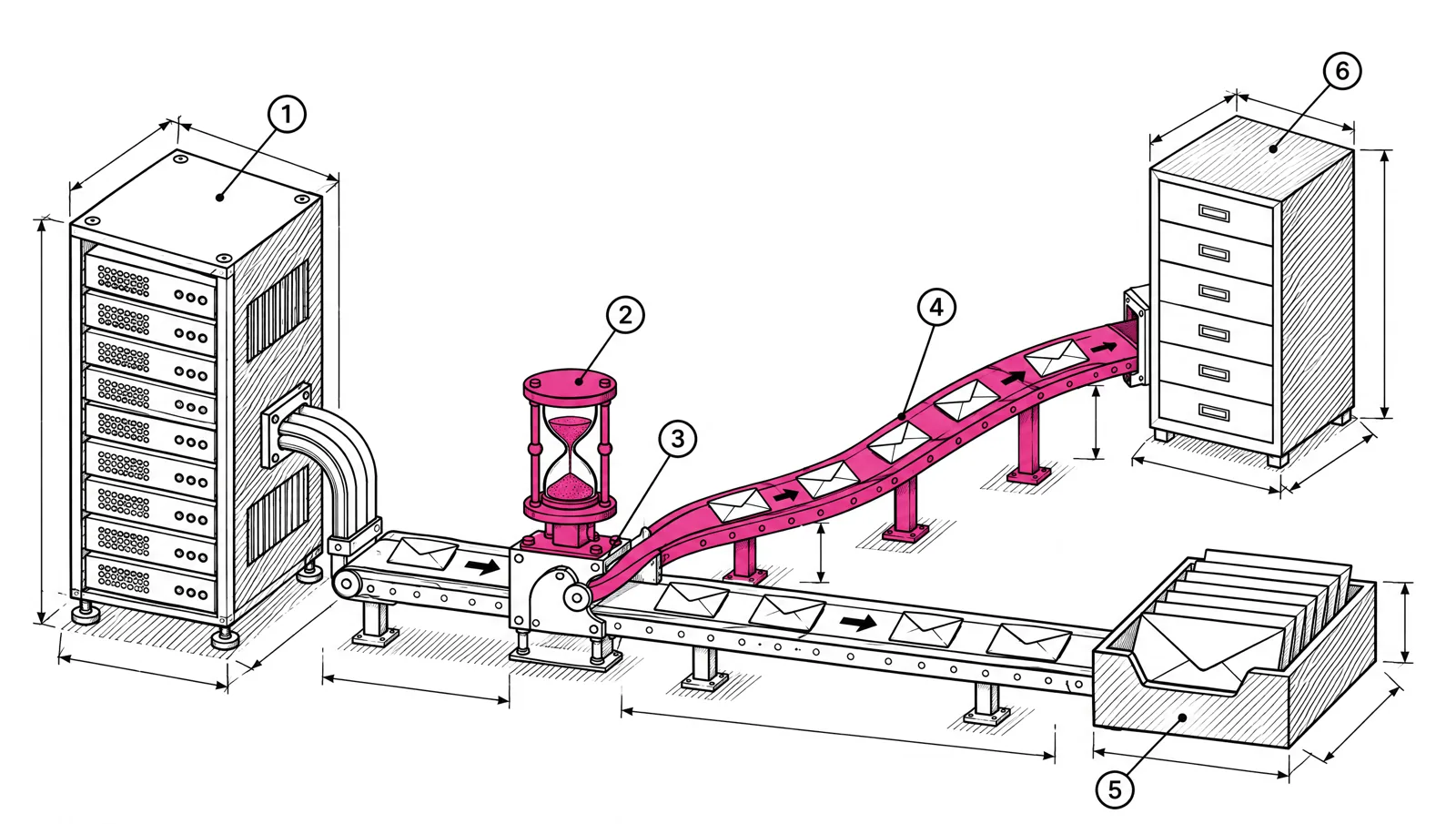
A sunset policy is a written rule for when you stop mailing someone who stopped engaging. It defines inactive by clicks and other actions, not opens. It sets a window that fits how often you send. Then it steps people down in order: fewer emails, a re-engagement attempt, and finally suppression. Large senders need one because Google advises it, and silent subscribers add complaint risk without adding readers.
Why stop mailing people at all
Google says it directly in its sender guidelines: “Consider unsubscribing recipients who don’t open or read your messages.” The same page adds that letting people opt out “can improve open rates, click-through rates, and sending efficiency” (Google’s sender guidelines).
Inactive subscribers cause three problems:
- They waste sends. Every email to someone who never reads uses volume, sending capacity and reputation for nothing. That is the “sending efficiency” Google mentions.
- They complain. Someone who forgot signing up can press “Report spam” instead of looking for the unsubscribe link. Gmail and Yahoo want your spam rate below 0.3%, and Google recommends keeping it below 0.1%.
- They distort your numbers. Click rates and revenue per send look worse than they are for the people who still read.
Define inactive with clicks, not opens
Opens used to be the default measure. They no longer work as one.
An open is recorded when the email loads a small tracking image. Apple Mail Privacy Protection downloads remote content “privately in the background when a message is received (instead of when you view it)” (Apple’s Mail privacy settings). For those recipients, the tracking image loads whether or not anyone reads the email. They show as openers forever. Google also states that it doesn’t track open rates and that a low open rate is not necessarily a deliverability signal.
So use actions that need a person:
| Signal | Reliable? | Use for |
|---|---|---|
| Click on a link in the email | Yes | Main measure of activity |
| Conversion or purchase tracked from the email | Yes | Strong sign of activity |
| Reply to the email | Yes | Strong sign, if you read replies |
| Sign-in to your product or site (SaaS) | Yes, from your own data | Keep paying users mailed even if they don’t click |
| Open | No | Weak positive only. Never the only reason to keep someone |
For a SaaS list, product activity matters more than email activity. A customer who uses your app every day but never clicks a newsletter is not inactive.
For more on which numbers still mean something, see which email metrics to trust.
Pick a window that fits your frequency
The right window depends on how many emails a person ignored, not on calendar time alone. A daily reader who hasn’t clicked in 60 days has ignored about 60 emails. A weekly reader in the same 60 days has ignored about 9.
These are starting points. Adjust them to your own click data.
| You send | At risk (no click for) | Re-engage at | Suppress if still silent at |
|---|---|---|---|
| Daily | 60 days | 90 days | 120 days |
| Several times a week | 90 days | 120 days | 150 days |
| Weekly | 120 days | 180 days | 210 days |
| Monthly | 180 days | 270 days | 365 days |
Leave out anyone who joined during the window. They have not had time to click.
The three steps
Step 1: reduce frequency
Move at-risk subscribers from every send to a lighter schedule. A daily publisher can send them a weekly digest instead. A SaaS company can drop them from promotional sends and keep product updates. Some people only want less email. This step keeps them without hurting the main send.
Step 2: run a re-engagement sequence
Send two or three emails that ask plainly whether the person still wants your mail. Make the click easy: one button to stay subscribed, one link to change frequency. Anyone who clicks moves back to the active group. A re-engagement campaign for a large newsletter list has a full sequence with subject lines and timing.
Step 3: suppress
If there is still no click at the end of the window, stop sending. Add the addresses to a suppression list or unsubscribe them. Keep the record so they are not re-imported by mistake. If they come back through your signup form later, they opt in again on their own.
Bounces and complaints are separate
A sunset policy is for people who are silent. Addresses that fail or complain need faster action, and on EmailMarketer.io that happens without a policy:
- Hard bounces are suppressed at once.
- Soft bounces are suppressed after three.
- Spam complaints reported through feedback loops unsubscribe and suppress the address.
That leaves the sunset policy to deal with the quiet addresses that still accept mail but never act on it.
Cost: what sunsetting saves and what it doesn’t
On a tool that charges per contact, every inactive subscriber costs money every month, so cleaning the list cuts the bill.
EmailMarketer.io doesn’t charge for contacts. Storing an inactive subscriber costs nothing. So the reason to sunset here is reputation, not the bill. Mailing fewer people does mean fewer emails sent, which can keep you in a lower volume tier, but that is a side effect. Run the policy to protect your sender reputation, not to cut costs.
Build it in EmailMarketer.io
Segments can filter on opened, not opened, clicked, not clicked, bounced and complained, each with a time filter. Segments support match all or match any, and rule groups. A sunset setup for a daily list uses three segments:
Active:       Clicked any campaign in the last 60 days
At risk:      Not clicked in the last 60 days
              AND clicked in the last 90 days
Sunset: Not clicked in the last 90 days- Send the daily edition to Active.
- Send a weekly digest to At risk.
- Run the re-engagement sequence for Sunset as a journey, with waits between emails.
- After the last email, suppress anyone in Sunset who still hasn’t clicked.
A segment’s count updates when you view it. Check the counts before each step so you know how many people a change affects. See audience features for lists, segments and suppression.
Checklist
- Write the policy down: the signal, the window, the steps.
- Use clicks and conversions as the activity signal. Treat opens as weak.
- Set the window by your frequency. Shorter for daily, longer for weekly.
- Leave out new subscribers until they have had a full window.
- Reduce frequency first, then re-engage, then suppress.
- Check the sunset segment against paying customers before you suppress.
- Review the policy every quarter against click and complaint rates.
If you run a daily or weekly newsletter, the publishers page shows how EmailMarketer.io handles high-volume editorial sending.